The short answer
Contact QR codes use built-in phone protocols (tel: for calls, mailto: for email) to open a dialer or compose window with one scan. No app needed. Print the code with a clear label (“Scan to Call”), always include the contact info in text as backup, and test on multiple phones before printing.
Most people have no idea that a contact QR code isn’t really a “QR code thing” at all. It’s a thin wrapper around two URI schemes that every smartphone has understood for more than a decade: tel: for phone numbers and mailto: for email. Your phone already knows what to do with them. The QR code just hands those links over so no one has to type them.
That small technical fact is the entire reason contact codes work. There’s no app to install, no account to create, no service that can expire out from under a printed card. The phone’s operating system takes the scan and opens its own dialer or compose window, which is exactly what the user wants.
How they actually work
Every contact QR code uses a URI scheme that smartphones already understand. No apps required. No accounts. The phone’s OS handles everything.
A phone-number QR code contains a tel: link like tel:+15551234567. When scanned, the phone opens its dialer with the number pre-filled. The user still has to tap “Call,” which is important for trust; the call doesn’t start automatically. Include the country code, no spaces or dashes in the encoded number, and use commas to insert pauses for extensions (tel:+15551234567,,,123).
An email QR code uses the mailto: scheme. The simplest version is mailto:hello@example.com. Scanning opens the default email app with the address filled in. You can pre-fill more by appending parameters: mailto:support@example.com?subject=Question%20about%20my%20order&body=Order%20number%3A%20. Spaces become %20, colons become %3A. The practical limit is around 1,800 characters total before some email apps truncate or fail silently.
A support page QR code is a standard URL code pointing to a dedicated page like https://example.com/support. Unlike phone and email codes, these open a web browser. The page then presents multiple contact options, FAQs, or a contact form. Useful when “contact” actually means several different paths depending on what the customer needs.
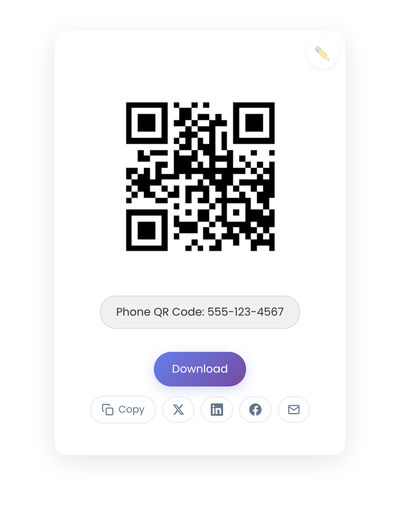
A static QR code with a tel: URI. Scanning opens the dialer with the number pre-filled; the user still has to tap call.
When each type fits
Phone codes work best when immediate conversation matters. A plumber’s van, an emergency vet clinic, a locksmith’s card. When someone needs help now, a direct line beats a form. The catch is your team has to actually answer; a code that says “Scan to Call” and leads to voicemail frustrates more than a regular phone number does. Phone codes also fit when the question is hard to type (technical issues, complex situations) or when older customers want voice confirmation before committing.
Email codes work best when documentation matters. Warranty claims, formal complaints, detailed specifications. The conversation has a paper trail both parties can reference. Email also fits when the request needs time to process (custom orders, quotes, scheduling), when you need specific information upfront (a pre-filled subject line and body prompt reduce back-and-forth), and when off-hours contact is expected. People understand email won’t get an immediate response.
Support page codes work best when multiple options make sense for the same business. Call for urgent issues, email for general questions, FAQ for common problems. They also fit when self-service covers most of the load: if 70% of your questions are in your FAQ, sending everyone to a phone line wastes time on both sides. And they fit when contact methods change seasonally; a single QR code to the support page lets you adjust without reprinting materials.
Creating a contact code
Phone format starts with tel:, then the country code, then the number with no formatting. US: tel:+15551234567. UK: tel:+442071234567. With extension and pauses: tel:+15551234567,,,100.
Email format starts with mailto:, then the address, optionally with ?subject= and &body= parameters. URL-encode spaces as %20, newlines as %0A, colons as %3A, ampersands as %26.
A practical structured-email example for a furniture store’s custom order inquiry:
mailto:orders@furnitureshop.com?subject=Custom%20Order%20Inquiry&body=I'm%20interested%20in%20a%20custom%20piece.%0A%0AType%3A%20%0ADimensions%3A%20%0ATimeline%3A%20
This opens an email with structured prompts already in place, reducing the “what do I even write?” hesitation that loses inquiries.
For support pages, the QR code is a standard URL code. The work happens on the page itself: clear contact options with expected response times, business hours, an FAQ section, and a mobile-optimized layout (the page will be scanned by phones).
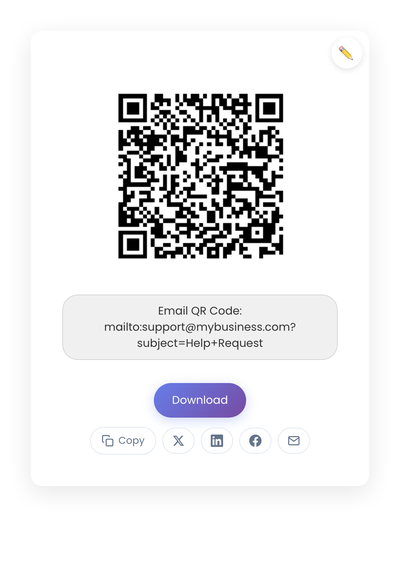
A static QR code with a mailto: URI including a subject prompt. The code opens the user’s default email app with the address and subject already filled in.
Placement that actually works
A QR code that nobody scans is just decoration. Placement decides whether contact actually happens.
For storefronts and windows, codes near door handles or at eye level get scanned most. People naturally look there when checking if you’re open or finding the entrance. Codes placed low or behind tinted glass fail. Test your storefront code at night with and without the camera flash if your business operates evening hours.
For service vehicles, codes on rear panels and sides need to scan from 10+ feet away (someone stuck in traffic behind your van should be able to scan). Avoid placing codes where doors open over them or on surfaces that curve significantly. Consider linking to a support page rather than a direct phone number for vehicles; “Questions? Scan here” with hours and a booking link is more useful than a phone number for someone who isn’t ready to call immediately.
For printed materials, business cards need codes at least 0.8 inches square. Flyers should put codes near the call-to-action, not buried in footer text. Invoices benefit from a code near “Questions about this bill?” text. Always print the phone number or email in text as well. QR codes support access; they don’t replace it.
For event booths and pop-ups, table-top stands with codes at arm’s reach beat codes flat on the table. Vertical banners with codes at chest height work well. For events specifically, a support-page code that includes a “we met at [event name]” context helps when someone scans three weeks later and needs to remember where they got your card.
Static vs dynamic, for contact
Static is almost always the right pick. Phone numbers and email addresses rarely change; when they do, you’re typically updating signage anyway. Static codes work faster (no redirect), require no subscription, and can’t break because a service shut down.
The one exception: call centers that rotate numbers seasonally might benefit from a dynamic code. For everyone else, a broken contact code on a medical device, product notice, or emergency placard isn’t an inconvenience. It’s a failure of the system’s core purpose. The static vs dynamic QR codes article spells out when each makes sense.
Privacy and trust
A tel: link is transparent. The phone shows the number before dialing. Users know exactly what they’re getting. Some dynamic QR services route calls through tracking numbers for analytics, which works but changes the experience: customers see an unfamiliar number, and caller ID shows something unexpected. For some businesses the analytics value is worth it; for others the trust cost isn’t.
Standard mailto: links are similarly transparent. The email app shows the destination address. Pre-filled subjects and body text are visible before sending, so don’t use them to add hidden tracking parameters or marketing codes that feel invasive when noticed.
Support pages introduce more privacy variables: chat widgets that track behavior, forms that ask for more than necessary, third-party integrations with their own data practices. Keep support pages simple. Ask for what you need to help the person, not what you want for marketing.
What makes a contact code useless
Contact codes fail without feedback; nobody tells you they couldn’t save your number.
Mixing phone and web expectations. A code labeled “Scan to Contact” that opens a website instead of the dialer creates confusion. Label phone codes “Scan to Call” and web codes “Scan for Support.”
Forgetting mobile reality. Every contact QR code will be scanned by a phone, but businesses regularly link to support pages that render poorly on mobile or to phone systems designed for touch-tone menus rather than smartphones. Test the complete experience on a phone, from scan to contact completion.
Overloading email codes. A mailto: link with a 500-word pre-filled body overwhelms. The user sees a wall of text they didn’t write and feels like they’re signing something. Keep pre-fills minimal: a clear subject, maybe one or two short prompt lines in the body. Let customers ask their actual question in their own words.
Ignoring accessibility. Always include the contact info in readable text alongside the QR code. Some customers have visual impairments. Some have older phones. Some prefer typing. The code supports access; the text guarantees it.
Creating the code
On StackQR, the input understands plain English. For a phone code, type phone +1-555-123-4567. For an email code with a subject, type email support@company.com subject Help request. For a support page, paste the URL. For a full contact card that saves name, number, email, and company in one scan, the dedicated vCard QR code generator gives you a form for each field. Whichever you pick, the code is generated in the browser, so the address never reaches a server.
Quick reference
| Contact Type | Use When | QR Format | Example |
|---|---|---|---|
| Phone | Immediate help needed, voice preferred | tel:+15551234567 |
Emergency services, appointments |
| Documentation needed, async okay | mailto:help@co.com |
Quotes, formal requests | |
| Support Page | Multiple options, self-service available | https://co.com/help |
Product support, general inquiries |
Print sizing minimums: 0.8 inches square on business cards, 1.5 inches on flyers and posters, 3+ inches on vehicles and large signage (test from the expected distance). Always include a label explaining what the scan does, the contact info in text form as backup, and a test scan on at least two devices before printing at scale.
Contact QR codes work because they remove typing steps. A phone number that opens the dialer, an email address that opens a compose window, a support URL that opens a mobile-optimized page. The savings are seconds per contact, but at scale across hundreds of customers, the friction reduction is the difference between an inquiry that happens and one that doesn’t.