Quick Answer
A donation QR code lets supporters scan and land directly on your giving page, turning emotional moments into completed gifts before the impulse fades. Print codes on event programs, church bulletins, and appeal letters. Static codes work permanently with no subscription, so materials printed today still function years from now.
The pastor finishes the story about the family whose house burned down last week. The slide on the screen says “Give now at firstchurch.org/give.” A woman in the fourth row reaches for her phone, unlocks it, opens her browser, and starts typing “firstch…” before her toddler tugs on her sleeve. By the time she looks back at the screen, the announcements have moved on and so has the moment.
This exact loss happens every week in church sanctuaries, at charity galas between the dessert course and the speeches, and at 5K finish lines where runners are catching their breath. The gap between willingness and action is measured in seconds, and typing a URL is almost always too many seconds. A QR code on the bulletin, the table card, or the projection slide collapses that gap into one scan.
Where a donation QR code earns its place
The pattern is consistent across nonprofit settings. At fundraising galas, codes go on table centerpieces, event programs, and the projection screen behind the speaker so guests can give without leaving their seats. At weekly church services, codes go in the bulletin, on the wall, and on the offertory slide so congregants give with their phones in place of the passed plate. At charity runs, codes go on signage and volunteer shirts so spectators who showed up to cheer can also contribute. In direct mail appeals, codes sit in the corner of newsletters and annual reports so readers don’t have to type a URL into a phone that’s already in their hand. At memorial events and on tribute cards, codes link to honor-of donations that visitors give when memory prompts generosity.
In every case the QR code is doing one thing: removing the URL-typing step that loses people at exactly the moment they had decided to give.
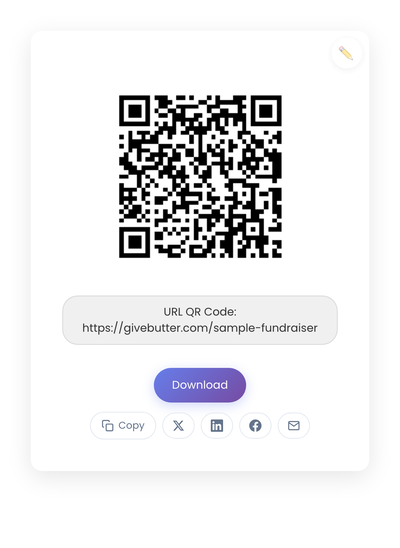
A static QR code with the donation page URL baked into the pattern. Nothing about the printed code depends on a subscription, so the same flyer keeps working across appeal cycles.
What the code should link to
The destination matters as much as the code. The most effective option is a direct donation form, where the scanner lands at the giving screen with no intermediate clicks. Every extra step loses donors, and donation pages that bury the giving form behind a homepage hero see meaningful drop-off compared to direct landings.
For targeted appeals, a campaign-specific landing page can add brief context before the giving form, but keep it brief. The goal is still to reach the form quickly. A giving page that offers one-time and recurring options without overwhelming the donor with twelve fund designations performs better than one that asks every question up front.
Mobile optimization is non-negotiable. The entire interaction happens on a phone. Pages that look fine on desktop but require pinching, zooming, or scrolling sideways on a phone bleed donors faster than any QR-code design choice could compensate for.
Static vs dynamic, for donations
Static is the right choice in most cases. Your donation page URL should be stable, and you want printed materials to keep working without a subscription behind them. A code in a church bulletin from two years ago should still open the giving page today.
Dynamic codes make sense for large organizations running many simultaneous campaigns who need to track each appeal separately and update destinations frequently. For small to mid-size nonprofits, the added complexity rarely pays back. The how static and dynamic QR codes compare gives the whole picture.
Design and placement
A QR code needs to be noticed and easy to scan. Size for the context: 2 to 3 inches square on a poster, 1.5 inches on a table tent, 1 inch in a program or newsletter. Bigger is always easier to scan. Dark code on a light background; avoid busy images or low-contrast schemes. Add a clear short label like “Scan to give” or “Support our mission” right next to the code so the action is obvious in a glance.
Logos near the code are fine. Logos inside the code reduce scan reliability. For something a congregation will scan in dim lighting from a pew, prioritize the scan over the decoration.
Where donation flows fall apart
Every extra step between scan and donation loses givers.
Linking to the homepage rather than the donation page. Every extra click loses donors. Link directly to where giving happens.
Forgetting mobile optimization. If the giving page is slow, requires zooming, or has tiny form fields, donations get abandoned mid-form. Test the full giving flow on a phone, not just the QR scan.
Using campaign-specific URLs that get retired. Printed materials outlive most campaigns. Use a permanent giving page URL that can redirect to current appeals if needed.
Skipping the test. Scan the code, complete a real donation, and confirm everything works before printing a thousand bulletins.
Overcomplicating the giving page. Long forms with optional fields, multiple steps, and unnecessary confirmations all reduce completion. Ask for what you need, nothing more.
Privacy and trust
Donations involve personal and financial information. Trust matters. Donors feel safer when the giving page uses recognized processors like Stripe, PayPal, or established nonprofit platforms. Unknown payment forms raise concerns, particularly for older donors who scan with some hesitation already.
Visible security indicators (the HTTPS lock in the browser, a clear privacy statement on the page, recognizable payment processor branding) reassure donors more than any QR-code design choice. Static QR codes that open the donation page directly avoid adding tracking layers that some dynamic services include without making it obvious.
Creating the QR code
Paste your donation page URL into StackQR and the code generates in the browser. For bulletins and thank-you cards, PNG works fine. For event signage or anything that gets enlarged, download the SVG so the edges stay crisp at any size. Test on at least two phones before committing to a print run.
Long-term thinking
A QR code printed in a church bulletin today might get scanned years from now. An annual report sits in a drawer and gets revisited when someone is cleaning. A memorial card stays on a refrigerator for decades. Static codes handle these timelines without subscription dependencies or expiring services.
For organizations focused on long-term mission rather than short-term campaigns, that reliability matters more than the editable destination a dynamic code offers.
Fundraising still depends on compelling stories, clear impact reporting, and genuine relationships with donors. The QR code’s only job is removing the typing step between the moment someone decides to give and the actual donation page. That’s a small contribution, but it’s the contribution that compounds across every printed appeal you send.