A QR code for event RSVPs points guests to a single form or page where they can sign up. Print it on flyers, table tents, or counter signs so people scan and register in seconds instead of sending DMs or calling in.
Paper RSVP cards are dead. Nobody hunts down a stamp and walks to a mailbox to confirm they’re coming to a cooking class. DMs get lost in piles of other messages, and phone calls feel like an intrusion for anything less formal than a wedding. That leaves a gap: people want to respond quickly, and hosts want all the responses in one place.
A QR code on an invitation, table tent, or counter sign closes that gap. Guests scan, land on a form, and commit in under thirty seconds. The host ends up with one list instead of a spreadsheet stitched together from Instagram DMs, voicemails, and reply-alls.
How the QR code collapses messy channels
Most small business events start the same way. A flyer goes up. A social post goes out. A quick email goes to regulars. The RSVP method gets decided later, and it tends to splinter: some customers sign up at the counter, others reply to the social post, a few leave voicemails after hours. The host spends the day before the event reconciling notes and guessing at attendance.
A QR code points everyone at the same form. One link, one place where responses are stored, one accurate count. The code itself holds no attendance data; it’s just the shortcut to the form that does the actual work. That form usually includes the event details (date, time, location), a short input, and a confirmation message after submission. Everything else (capacity tracking, reminders, cancellation handling) lives on the destination, not on the code.
Where this fits
The pattern works well for in-store events, classes and workshops, open houses, pop-ups, community nights, and any ticketed event with limited capacity. The shared trait is that guests are either physically present or already looking at a flyer when the question of attending comes up.
It fits less naturally for events that are fully online and shared only by email (a link works fine), for audiences that expect a longer registration flow, or for ticketed events sold through a dedicated platform with payment built in. In those cases the QR code still works; the value just comes mainly from the friction reduction at the moment of intent.
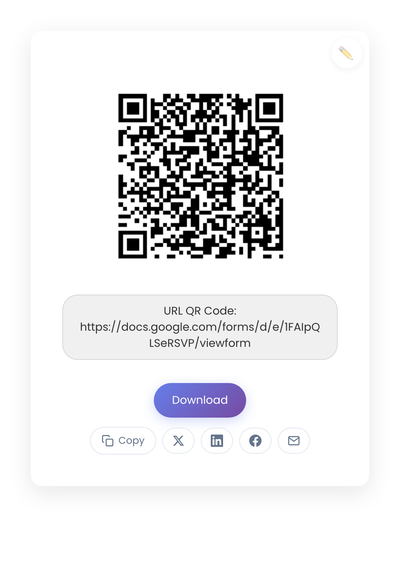
A static QR code that encodes the RSVP form URL directly. The form itself handles capacity, confirmations, and the rest of the event-management work.
Pick the right destination
The QR code needs somewhere to send the scanner. Three common options cover most use cases.
A Google Form is often the fastest path (the Google Forms QR guide covers the form-side mechanics). Free, familiar to most users, easy to edit, and quick to set up. The tradeoffs are minimal branding, basic confirmation messages, and the need to think carefully about which fields to include. For most small events this is more than enough.
A simple landing page with a form on your own site offers more control. You can match the design to your brand, include clear event details above the form, and write a custom confirmation message. It takes a bit more setup (a form-builder integration or a simple HTML form posted to a backend) but pays off when the event represents your business publicly.
A dedicated event platform handles RSVPs, automated reminders, capacity limits, and waitlists. Most charge for paid events. For larger or more complex events where reminders and capacity controls matter, the platform’s overhead is worth it.
For most small businesses running occasional events, the Google Form path covers 80% of need at near-zero setup cost.
Form design that increases responses
The form determines whether people complete the RSVP. Short forms perform better than long ones. Each added field reduces completion.
Most events only need a name, an email or phone number, and the number of attendees. Anything else (dietary restrictions, marketing preferences, comments) should be optional or collected later. The goal at the moment of scan is commitment, not qualification.
Avoid long questionnaires, required free-text comments, and multi-page forms. The user is making a small decision; the form should match the size of that decision.
Static vs dynamic, for event RSVPs
For most events, a static code pointing to a stable form URL works well. The link doesn’t change, the event has a clear date, the printed materials are short-lived. Reprint after the event ends.
Dynamic codes earn their keep when the same printed material gets reused across multiple events, with the QR code’s destination swapped each time. A counter sign labeled “Upcoming events” with a code that always points at this month’s event is the classic case. The full guide to static vs dynamic QR codes walks through both sides.
Placement
Placement affects response rates more than design does. Codes get scanned where people pause: checkout counters, table tents, entry doors, event flyers, menus, posters near waiting areas. Codes in crowded visual areas, in places people rush past, or without context get ignored.
A short label removes uncertainty. “Scan to RSVP” or “Reserve your spot” or “Sign up here” handles it. Two or three words.
Pair the in-person placement with digital channels using the same link: QR code on the printed flyer, link in the social post, link in the email newsletter. The same form receives all of it, which is the whole point.
Managing capacity and cutoffs
Many events have limits. QR-based RSVPs help track numbers, but the form needs boundaries built in. Most form builders support automatic close after a response count threshold. Add a note about limited spots in the form description so people understand the urgency. For waitlists, a second form (or a conditional field) lets late scanners express interest without joining the main count.
Plans change too. Add a confirmation message with contact info, a follow-up email with details, and a simple way for guests to cancel. A line in the confirmation email asking attendees to reply if plans change keeps the list accurate without anyone having to chase no-shows.
Privacy and what to collect
RSVP forms collect personal information. Collect only what you actually use. Ask for minimal data, avoid unnecessary tracking, store responses securely, and delete the list after the event when retention isn’t needed.
The QR code itself doesn’t collect data; the destination form does. Choose form tools whose privacy stance matches yours.
What kills RSVP completion
When guests scan but never finish, the cause is usually one of these.
Overcomplicating the form. Long fields reduce responses. Keep it short.
Printing before testing. Always scan the printed result on at least two phones. Ink density and surface finish change scan behavior.
Out-of-sight placement. If guests can’t see the code clearly, they won’t scan it.
Forgetting the backup. Some guests prefer to sign up in person. Let staff add names manually to the same list so everyone ends up in one place.
Creating the code
Take your RSVP form URL and generate the static code on StackQR. Print it on the flyer, the table tent, or the entry sign. Anywhere guests already pause. After the event ends, either disable the form or update the URL behind the code to point at the next one. The same printed sign can keep working if the destination handles the rest.
Keep the form short and test the code on two phones before you commit to a print run. A QR code RSVP replaces three or four messy channels with one form, but only if the form opens cleanly on the first scan.