I bought a Centr home gym setup and a SoulCycle bike in the post-COVID reality of not wanting to return to a crowded gym. Both apps have replaced studio visits for me for a while now. But millions of Americans still hold gym memberships, and the owners of those gyms are looking for ways to reduce friction at their front desk. I’ve seen it firsthand at the F45 I used to go to. QR codes keep coming up as the fix.
The friction they’re trying to solve is familiar to anyone who’s been to a busy studio. Walk into a place, want to find the class schedule, and the laminated printout on the wall is from last month. The real schedule lives in the studio’s app, but you haven’t downloaded it yet, and the front desk person is mid-conversation about a billing issue. That repeated friction burns staff time and annoys members. A few well-placed QR codes can absorb most of it.
Gyms and fitness studios can use QR codes for class schedules, self-service check-ins, equipment tutorials, WiFi access, and member feedback. Place them where members naturally pause: the front desk, studio doors, and on equipment. Static codes work for most gym needs.
Where QR Codes Fit in a Fitness Business
Fitness businesses have a specific problem. Customers are there to move, not to wait. Every minute at the front desk is a minute not spent working out. And unlike retail, gym members come back daily, so small friction points compound fast.
QR codes solve this by putting information directly in members’ hands. Instead of asking staff about class times, they scan a code and see the schedule on their phone. Instead of waiting for the WiFi password, they scan and connect automatically.
The main applications fall into a few categories:
- Information access: Class schedules, gym hours, holiday closures, equipment tutorials
- Check-ins and attendance: Signing in for classes, tracking visits, confirming reservations
- Communication: Links to member portals, feedback forms, social media
- Payments: Drop-in class fees, merchandise, tipping instructors
Each works with a simple static QR code. Dynamic codes add complexity and subscription costs for no real benefit in most cases.
Class Check-Ins: The Highest-Value Use Case
Class-based gyms are where QR codes shine. F45, Orangetheory, SoulCycle, and boutique yoga studios all run on tight class schedules with specific rosters. Members arrive, need to check in to a specific class at a specific time, and everyone else is mid-routine trying to get to their spot.
A QR code at the studio door can handle the entire check-in in five seconds. Scan, confirm reservation, walk in. The alternative is a staff member cross-checking a tablet while three people wait in line.
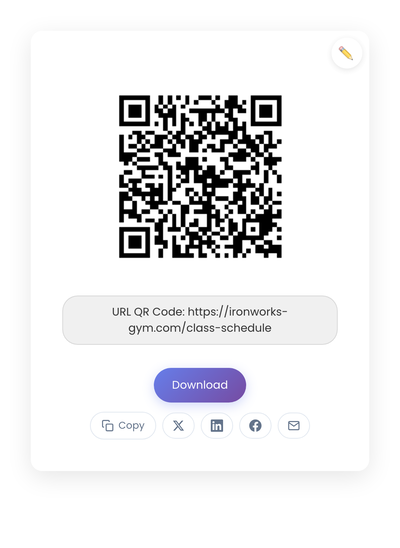
How to set it up:
The simplest approach is a QR code pointing to your booking system’s check-in page. Mindbody, Vagaro, ClassPass, and Acuity all support public URLs for class schedules and check-ins. Link directly to yours.
If you want something more lightweight, a Google Form with fields for name and class selection works. You get a spreadsheet of everyone who attended, and members get a confirmation screen. No app install required, no accounts to manage.
Placement:
Put the code right at the entrance to the class space, at waist-to-chest height. Not on a wall six feet away. Not behind the front desk where staff have to point at it. The scan should happen without the member breaking stride.
Class Schedule QR Codes
The second highest-value placement. Members regularly want to know “What’s next?” or “What’s tomorrow morning look like?” A printed weekly schedule is out of date before it hits the wall. A QR code pointing to a live schedule solves this permanently.
Three options that work:
-
Link to your website’s schedule page. Simplest if you already maintain one. Update the webpage, and the QR code automatically shows the new info.
-
Link to a public Google Calendar. Free, real-time, and members can add the calendar to their phone if they want.
-
Link to your booking system. Mindbody, Vagaro, and similar tools have public schedule views. Members can see times and reserve spots in one flow.
Place the code at the entrance, at the front desk, and on studio doors. Anywhere someone might pause and wonder about timing.
Equipment Tutorial Codes
These require the most upfront work but pay off for member experience, especially at gyms with a mix of new and experienced members.
What you need:
- A 60-90 second video or written guide for each machine
- Hosted on YouTube, Vimeo, or your website
- A weatherproof printed QR code on or near the equipment
The temptation is to film polished tutorials. Resist it. Members don’t want production value. They want 30 seconds showing the adjustment points, one rep of proper form, no music, no intro. Get to the point.
Laminated stickers last about six months in gym conditions before needing replacement. Budget for that.
WiFi Access
One of the easiest wins. Generate a WiFi QR code that encodes your guest network name and password. Members scan it and connect automatically. No typing. No staff interruption. No password posted on a whiteboard where anyone walking past can see it.
Place it at the entrance and in the locker rooms. Label it clearly so members know what they’re scanning.
Where to Place Codes Without Wasting Them
Placement determines whether QR codes actually get used. A code hidden in a corner won’t help anyone.
Front desk: Schedule, membership info, waiver forms for new members, guest WiFi. Staff can point to the card when the same question comes up repeatedly.
On equipment: Tutorial videos for machines that aren’t intuitive. Old members ignore them. New members use them constantly. Both groups are served without extra staff time.
Studio doors: Class sign-in, playlist, instructor profile, feedback form. Put it where members naturally pause before entering or leaving.
Locker rooms: Often overlooked. Members have privacy and a moment to scan. Good for app downloads, membership upgrades, social media.
Entry and exit points: Post-workout feedback forms, guest passes, parking validation if applicable.
Other Practical Use Cases
Beyond the obvious check-ins and schedules, a few less common placements worth considering:
Pair equipment with your phone for tracking. Modern treadmills, bikes, and rowers often support Bluetooth pairing with fitness apps, but the pairing instructions can be clunky. A small QR code on each machine linking to a short setup guide (or directly to the pairing deep link, if the app supports it) cuts the learning curve.
Personal trainer directory. A code at the front desk that opens a page listing all trainers with their specialties, availability, and booking links. Members browsing for a trainer can do it on their own time without flagging down staff.
Personal visit tracking. A check-in and check-out QR code setup that lets members track their own time spent at the gym. Useful for members with specific weekly goals (“train 4 hours a week”) who want their own record independent of the gym’s system. The code can link to a simple Google Sheet or a personal tracking app.
Common Mistakes
Printing too small. Members aren’t standing still studying your wall. Codes need to be at least 2cm x 2cm for close scanning, larger at distance. Download SVG format for printing, since vector files scale cleanly to any size.
No context label. A bare QR code is a mystery box. Add a short phrase: “Scan for this week’s schedule” or “Scan to check in.” People scan more when they know what they’re getting.
Codes that expire. Some generators offer “dynamic” QR codes that route through their servers. Miss a subscription payment, and your printed codes stop working. Use static codes for anything printed or permanently placed.
No testing. Print one code, tape it up, never scan it yourself. Then a member tries and the link is broken. Test every placement from the distance members will actually be standing.
Static vs Dynamic: Which to Use
For most gym applications, static QR codes are the right choice. Class schedules, equipment tutorials, WiFi access, and feedback forms all use stable URLs. The content behind the URL can change freely without needing to reprint anything.
Dynamic codes make sense only for time-limited promotions where the destination genuinely rotates. For permanent fixtures in your studio, static codes avoid subscription costs and the risk of your codes dying if a service shuts down.
For a deeper comparison, see Static vs Dynamic QR Codes.
The Bigger Picture
Gyms that use QR codes well aren’t replacing their staff. They’re giving members a way to answer the 80% of questions that don’t need a human. Class times, equipment instructions, WiFi, feedback. The front desk gets freed up for the 20% of questions that actually benefit from a conversation.
That’s the case for almost any customer-facing business, but it hits harder in fitness because the margin on member time is so thin. Every minute saved on logistics is a minute spent doing the thing members actually came for.