Quick Answer
An Instagram QR code encodes your profile URL into a scannable image. Customers scan it at your counter, on packaging, or at events, and your profile opens instantly. Static QR codes are the best choice here because your Instagram URL rarely changes and the code needs no expiration or subscription.
Instagram already has its own QR code feature built into the app. It lives in the search bar, generates instantly, and shows your profile when someone scans it. If you’ve ever used it, you’ve probably wondered why third-party tools exist at all. Here’s the catch: that built-in code lives inside the Instagram app. It’s designed to be shown phone-to-phone, not printed. Try to put it on a menu, a sticker, a shop window, or a business card, and the experience falls apart fast. It isn’t optimized for print, it can change when Instagram updates the app, and you can’t send the file to a designer.
A plain QR code pointing to your Instagram profile URL sidesteps all of that. It works on print, it doesn’t depend on app behavior, and it keeps working for as long as your handle exists.
What an Instagram QR code actually is
At its core, an Instagram QR code is a QR code that points to a URL. That URL is usually your profile (instagram.com/yourbusinessname), but it can also be a specific post, a Reel, a Highlight, or any Instagram-hosted page you’d want to direct people to.
The QR code itself doesn’t connect to Instagram servers. It doesn’t track scans. It doesn’t know who scanned. It opens a web address, and Instagram handles everything from there. That simplicity is what makes the printed version more durable than the in-app version: there’s no app dependency in the way.
Where it earns its place
The QR code is most valuable where people are already pausing. Inside a restaurant, while guests wait for the check. In a salon, while a color sets. At a craft fair table, while someone browses. In a clinic waiting room, while patients wait longer than they expected. The common thread is dwell time. Nobody scans a QR code on a sign they’re rushing past.
It also earns its place on things that travel home with someone. Packaging inserts, receipt tape, business cards, thank-you notes, instruction sheets. The customer was already interested enough to take the item. The QR code is the path back to your presence on Instagram later, after they’ve left and forgotten the handle they meant to type.
And it earns its place at temporary spaces (markets, pop-ups, trade shows) where the alternative is asking strangers to type a handle into an Instagram search bar that may or may not return your profile on the first try.
Where it doesn’t earn its place: on labels too small to scan comfortably, in spots with bad lighting, on anything in motion (a delivery truck driving past), or as a substitute for plain signage that needs to be readable at a glance.
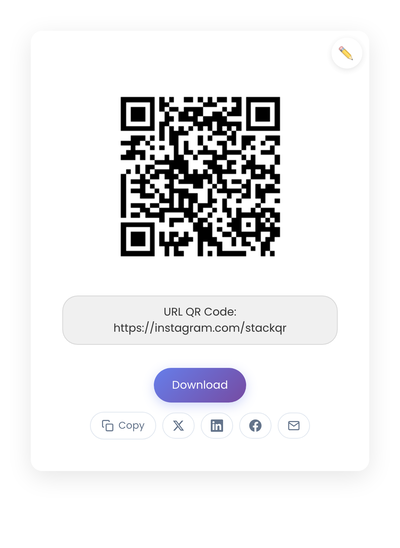
A static QR code with the Instagram profile URL embedded in the pattern. Doesn’t depend on Instagram’s in-app code system, doesn’t require a paid generator subscription.
Static vs dynamic, for Instagram
Static is the right choice almost always. Your Instagram profile URL is stable. The code you print on a sticker today should still work in three years. A static code holds the URL directly, with no service in between, so it can’t break because a subscription lapsed or a redirect provider shut down.
Dynamic codes are useful for short-term marketing campaigns where the destination rotates, but for everyday signage and packaging pointing to a profile, they introduce risk for no real benefit. The how static and dynamic QR codes differ covers the longer reasoning.
Design rules that affect scanning
A few simple rules cover most outcomes.
Use the full profile URL, not a shortened version. Static codes age better when the URL is stable and inspectable; URL shorteners are a service dependency you don’t need for something this simple.
Size for the scanning distance. A code on packaging needs to be at least 1 inch square. A sign meant to be read from across a room needs to scale up proportionally. Tiny codes look elegant in mockups and fail in low-light retail environments.
Leave a quiet zone (the white space around the code). Phone scanners use it to find the code’s edges. Cropping too tight breaks scans more than people expect.
Add a one-line prompt next to the code. “Follow us on Instagram” or “See our latest work” removes the small hesitation moment when someone isn’t sure what scanning will do. One sentence is enough.
Test the printed result on at least two phones. Ink density, paper finish, and ambient lighting all change scan behavior in ways the screen preview can’t predict.
Where Instagram QR codes underperform
A few mistakes show up over and over.
Relying on Instagram’s in-app QR code for print. It looks fine on a phone screen but isn’t designed for high-resolution printing, and Instagram can change how it works without notice. For anything that goes to paper, plastic, or fabric, use a static QR code pointing to your profile URL.
Choosing dynamic codes without understanding the cost. Many small businesses generate a dynamic code, print it everywhere, then discover months later that it stops working unless they pay a subscription. If you don’t need to change the destination, static is safer and free.
Over-designing the code. Logos, gradients, and brand colors inside the code can look beautiful in a mockup and reduce scan reliability in the field. For high-traffic uses like packaging, keep the code clean.
Skipping the printed test. The preview in the generator isn’t the same as the printed result.
Privacy and trust
A QR code that opens Instagram directly feels normal. A QR code that redirects through multiple domains or asks for permissions feels suspicious. Customers notice the difference even if they can’t articulate it.
A static QR code pointing straight to your profile doesn’t collect data, doesn’t track scans, and doesn’t build a user profile of the people who follow you in. For most small businesses that fits the way they want to operate, and it removes a category of “what does this code do?” questions you’d rather not field.
Creating an Instagram QR code
Take your profile URL (instagram.com/yourbusinessname) and generate the code on StackQR. The profile link is embedded directly in the code with nothing sitting in between. Download as PNG for screens or SVG for print.
The built-in Instagram nametag is fine for quick phone-to-phone shares, but for anything that needs to live on paper, plain static codes hold up better over time.