We had several cats growing up, none with QR-coded tags because they didn’t exist yet. The system was a small metal disc with a name and a phone number engraved on one side, sometimes an address squeezed onto the back. When a cat wandered (and they always wandered), you put up paper signs around the neighborhood and hoped someone with a phone made the call.
About one in three pets goes missing at some point in their life. The American Humane Association estimates that only around 20 percent of lost dogs and 2 percent of lost cats without any ID ever make it home. The tag on the collar is the single most effective recovery tool most owners ever buy, which makes it strange how little has changed about tags since the 1950s.
A traditional tag fits a name and a phone number, sometimes an address if you squeeze. The engraving wears down. The finder has to decide whether to call a stranger’s number. None of that is terrible, but it leaves a lot on the table. A QR code on the same piece of metal can point to a page with your pet’s photo, multiple contact options, medical notes, and the microchip number, all updatable without ever replacing the tag.
What the QR tag adds that a traditional tag can’t
More information in a smaller space. A traditional tag holds maybe twelve characters per line and three lines if you’re lucky. A QR code that’s smaller than a thumbnail can link to a full page with your pet’s name and photo, multiple contact numbers, an emergency contact, medical conditions and medications, your vet’s name and number, the microchip registry information, and behavioral notes for the finder.
Lower friction for the finder. Calling a stranger’s phone number can feel awkward, and some people hesitate. A QR code that opens a clean web page feels more neutral. The finder reads what’s there, decides how to help, and picks the contact method they’re comfortable with.
Updatable without re-engraving. Phone numbers change. Addresses change. Vets change. A traditional tag needs to be replaced; a QR code that points to a page you control gets updated in two minutes from any browser. The tag stays the same.
Works across borders. Phone number formats vary by country. A web page with multiple contact options works anywhere, which matters for traveling pets or anyone who lives near a border.
How they actually work
A QR code is a visual shortcut to a destination, usually a web link. When someone finds your pet and scans the tag with their phone camera, the link opens. That link leads to whatever you’ve set up: a simple page with your pet’s information and how to contact you.
The QR code itself doesn’t store anything beyond the URL. Everything the finder sees comes from the page behind the code. That matters because it shapes what you can update later and what happens if the page becomes unavailable.
Two paths: self-hosted or service
Two main approaches, each with different tradeoffs.
A page you control. You set up a simple page on your own site (or a free site you own the URL on) and the QR code links there. You get full control over what’s shown, the ability to update anytime without changing the tag, no subscription, and no third-party dependency. The catch is that you have to set up and maintain the page; it has to stay online for the tag to keep working. Best fit for people comfortable with basic web tools or who already have a website.
A pet tag service. Several companies offer QR code tags linked to their platforms; you create a profile on their site and the tag links to that profile. Easier to set up without any technical knowledge, and some include extras like GPS or notifications when someone scans the tag. The tradeoff is recurring fees, your pet’s information stored on their servers, dependency on the company staying in business, and privacy policies that vary widely. Best fit for those who prefer managed services and are comfortable with ongoing costs.
For most owners, a static QR code pointing at a page they control is the safer long-term choice. The tag has to work years from now without a forgotten subscription getting in the way.
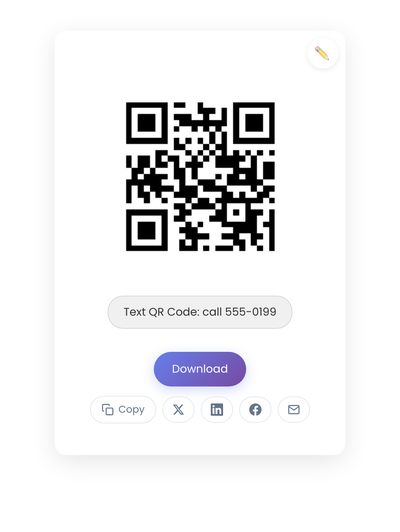
A static QR code with a pet’s info page URL encoded in the pattern. The page is yours to update; the engraved code on the tag stays the same.
What goes on the page
The page should help a finder reunite your pet with you quickly. The essentials: your pet’s name, your name, at least one phone number (multiple is better), an email address, and a city or neighborhood (many owners prefer this to a full address).
Helpful additions: a clear recent photo of your pet, any medical conditions or medications, behavioral notes (friendly, shy, doesn’t chase, doesn’t bite), the microchip number and registry, your vet’s contact information, and a reward if applicable.
Worth considering carefully: your full home address (many owners prefer to meet in a public place for pickup), anything that signals when you’re away from home, and any detail that could be misused if a less-than-helpful person scanned the tag.
Balance helpfulness with reasonable caution. A finder needs enough to get the pet home; they don’t need everything.
Static vs dynamic, for pet tags
For pet tags, static is almost always the right call. Reliability matters more than flexibility here. A dynamic code that stops working because you forgot a subscription renewal defeats the entire purpose of the tag.
Link to a page you control, and update the content there when your contact info changes. The QR code stays permanent; the page stays current. The static vs dynamic QR codes breakdown has the complete breakdown.
If you use a pet tag service, research the company’s track record and understand what happens if it shuts down or you stop paying.
Tag format choices
The QR code needs to be on something durable that attaches to a collar.
Metal tags (stainless steel or aluminum, etched or laser-engraved) are the most durable option. They withstand weather, scratching, and years of use. The code needs to be large enough to scan reliably.
Plastic tags are lighter and often cheaper, with variable print quality. Look for UV-resistant options that won’t fade in sunlight.
Silicone tags are flexible and quiet (no jingling against a metal tag). The QR code is printed or embossed; durability varies by quality.
Slide-on tags attach directly to the collar without a ring, keeping the collar streamlined, though they can be harder to scan depending on position.
DIY options (printing a code on a durable label and attaching it to an existing tag or collar pouch) work but require attention to weatherproofing.
Design and durability
A QR code on a pet tag faces unique challenges, but the rules are simple.
Size. The code must be large enough to scan reliably. For most tags, at least 0.75 inches (2 cm) square. Larger is better. Test scannability before ordering a batch.
Contrast. Dark code on a light background works best. Avoid colored backgrounds that reduce contrast.
Durability. The code has to remain scannable after rain, mud, scratching, and UV exposure. Choose materials and printing methods that hold up.
Placement on the collar. The code should be visible and accessible. If it hangs against the pet’s chest or gets tangled in fur, finders may not see it.
Creating the code
Build a page with your pet’s information first, either a simple page you control or a profile on a pet tag service. Take that page’s URL, generate the code on StackQR, and download SVG for the engraver. A pet tag offers only a few millimeters of usable surface, so vector output that scales without losing contrast matters more here than on most surfaces. The tutorial covers the size-and-error-correction tradeoffs that affect engraved tags specifically.
Test the final etched tag with multiple phones before attaching it to the collar. A code that works on screen can scan differently when etched into metal at a smaller size.
Test before it matters
A pet tag that doesn’t scan when needed is worse than useless.
Before attaching: scan the etched code with multiple phones, in different lighting, from the angles a finder might use, and confirm the page loads correctly on mobile.
After attaching: scan while the tag hangs on the collar, check that fur or position doesn’t block the code, and test periodically to make sure the code hasn’t worn down.
Use with microchip and a plain tag
A QR code enhances pet identification; it shouldn’t replace the other methods.
A microchip is a permanent backup that can’t fall off or wear out. Make sure yours is registered and the information stays current.
A traditional text tag with your phone number in plain characters ensures coverage for finders who don’t know how to scan QR codes (or whose phone battery is dead, or who don’t have data signal).
The best approach combines all three: microchip for permanent identification, traditional tag with phone number for universal readability, and QR code for detailed information and easy contact. Redundancy increases the chances of reunion.
When the QR code earns its place
QR code tags help most when you want to share more information than fits on a traditional tag, when your contact information changes occasionally, when your pet has medical conditions a finder should know about, when you travel internationally with your pet, or when you want to give finders multiple ways to reach you.
They add less when a simple tag with your phone number already works and your details rarely change, when you prefer not to maintain a web page, or when your pet never leaves controlled spaces.
A QR code tag is a one-time setup that sits unused until the day it isn’t. Paired with a microchip and a plain-text phone number, the three layers together cover the most common ways a lost pet gets returned: a stranger reading the tag, a stranger scanning the tag, or a vet scanning the chip.