Quick Answer
A photo sharing QR code links to a shared album, upload form, or gallery page. Print it on event signage or table tents, and guests scan to upload or view photos instantly. Static QR codes work well here because album URLs typically stay the same.
Events have a photo dispersion problem. Guests take hundreds of shots on their phones. The good ones go to camera rolls and stay there. A few get texted to one or two friends. A handful end up on Instagram. The host, who would want to see all of them, sees maybe ten percent. The same pattern hits charity fundraisers, team offsites, kids’ birthdays, and retail events where customers photograph products. The loss compounds across every gathering.
A QR code closes that gap. One code on a table tent, a welcome sign, the program, or near the photo booth, and instead of chasing camera rolls after the fact, the photos all land in one shared album while the event is still happening.
What the code does in this workflow
A QR code on event signage is a shortcut from a physical space to a digital destination, without typing a link. For photo sharing, that destination is usually one of four things: a shared photo album (everyone uploads and views in one place), an upload form (guests submit; you collect), a view-only gallery (you publish; guests browse), or a folder with limited access (for internal team use).
The code itself doesn’t store photos. It points at the place where photos live. Once printed, the code stays in place while the album accumulates behind it.
Where it fits
The pattern shows up across a lot of event types and a few professional ones.
Weddings, birthdays, fundraisers, and reunions all suffer from the same camera-roll-scatter problem. A QR code on each table tent or near the bar collects photos at the moment people take them.
Workshops and conferences benefit too. Attendees photograph slides, whiteboards, and group activities. Sharing those after the fact takes multiple email threads. A code at the back of the room or on the handout opens a shared folder where everyone drops files.
Retailers running in-store experiences (styling events, demos, holiday displays) sometimes want customer-generated photos for social proof. A code near the display explains how to share and where the photos go.
Service businesses use it for documentation rather than promotion. A general contractor might place a code on each job folder linking to a project-specific photo upload so crew members can capture before-and-after shots from their phones without logging into anything.
Internal team gatherings benefit from a permanent folder behind a permanent code on the wall: scan, upload, done.
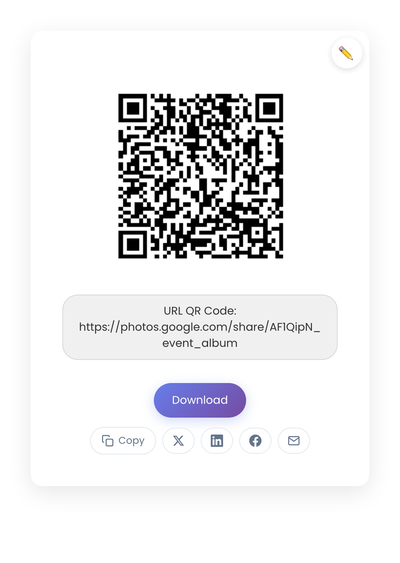
A static QR code encoding a shared album URL. The same code drops onto a table card, a welcome sign, or a printed program without changing.
Pick the right destination
The link behind the code shapes the entire experience. The four common destination types each have a different strength.
Shared photo albums (Google Photos, iCloud Shared Albums, similar) are familiar to most users. Everyone uploads, everyone sees the result. They work best when speed matters more than moderation and when you’re comfortable with all uploads being visible to all guests.
Upload forms guide users through a structured submission. They can ask for a name, a consent checkbox, or a category. They’re the right pick when consent or labeling matters, at the cost of a slightly longer flow per upload.
View-only galleries work in reverse. Instead of collecting photos from guests, you publish photos to them. Useful for events where the host or photographer has the official photos and wants guests to see and download them.
File folders with limited access (a shared Google Drive or Dropbox folder) work for internal team use, where everyone in the group already knows the tool and organization happens later.
The right choice depends on who scans and what you want them to do next.
Static vs dynamic, for photo sharing
Static is the right pick in most cases. Album and upload URLs are typically stable, and you want the code on event signage to work without depending on a subscription that has to stay current. The exception is reusing the same printed materials across multiple events with different destinations each time, where a dynamic code’s editable destination earns its keep. For most one-off events, static is simpler and cheaper. The longer comparison of static vs dynamic QR codes compares the two properly.
How to set it up
- Decide the goal: upload, view, or download photos.
- Create the album or upload page and test the permissions on your own phone (from a logged-out browser, ideally) so you see exactly what guests will see.
- Plug the shared album link into StackQR and download a code guests can scan from a table card.
- Test under event-like lighting on at least two phones.
- Place where photos happen: near stages, photo booths, table cards, the bar, the exit.
Placement that affects scan rates
Three rules cover most of it. Keep the code within arm’s reach. Table cards, counter signs, and posters near eye level perform better than wall signs across the room. A short instruction line (“Share your photos here” or “Upload your pictures”) removes the small hesitation moment when people aren’t sure what scanning will do. And use the same code consistently across the event, since multiple codes for the same action create confusion about which one is the right one.
Avoid cluttered backgrounds. Phone cameras need clean black-on-white to lock on quickly, and busy patterns or photographs behind the code slow scans down.
Privacy and consent
Photo sharing involves people, and people have expectations about how their images are used. The destination page should make three things clear: who can see the photos, whether photos may be reused for promotion or social, and how long photos are stored.
A short consent note on the upload page handles most of this. Some businesses also separate uploads from public galleries: guests upload privately, the business reviews, and selected images become the public gallery. This costs an extra step but gives clear control for situations where reuse matters.
Avoid requiring sign-ins for casual upload flows. Forced account creation thins participation more than people expect. If sign-ins are necessary for some reason, explain why on the page.
What lowers upload rates at events
The gap between codes people scan and codes people ignore usually comes down to these.
Linking the QR code to a generic homepage. Users land somewhere that doesn’t make the next step obvious, and many give up. Link directly to the album, upload page, or gallery.
Printing before testing. A small typo in the URL breaks the entire flow. Always scan the printed proof on at least two phones before committing.
Overexplaining on the sign. Long instructions discourage scanning. Keep the on-sign text short and let the destination page handle details.
Changing the destination URL after printing. Static QR codes hold the old URL; the new destination breaks every printed copy. If you anticipate changing destinations across reused materials, that’s the rare case where a dynamic code earns its keep.
When it doesn’t fit
The code earns its place at events where people have phones out and there’s a natural moment to scan. It fits less well when the audience doesn’t carry smartphones (which is rare but real for certain demographics), when photo sharing happens days later rather than during the event, or when the workflow is staff-only and a shared folder bookmark would do the same job.
For everything else, a photo sharing QR code works because it meets people at the exact moment they’re holding their phones. Pick a destination you trust, print the code where the photos are happening, and let the guests do the rest.
After the event
Once the event ends, decide what happens to the album. Lock uploads after a week so the collection stops growing indefinitely. Archive the photos to wherever you keep long-term media. Share a final gallery link in a follow-up message to anyone who attended. Delete unused images if storage matters.
For ongoing setups (a permanent code at a yoga studio, a long-running project archive, a hospitality memory book that spans seasons), no end state is needed. The code stays where it is, the destination keeps accepting uploads, and the album grows for as long as the space exists.