A QR code paired with a promo code gives customers a fast path from a physical sign, receipt, or menu to a digital discount. Print a QR code that links to a landing page with the promo pre-filled or clearly displayed, place it where customers already pause, and keep the destination page simple and mobile-friendly.
Print marketing has a measurement gap that’s easy to overlook. A flyer in a mailbox, a coupon on a table tent, a discount printed on the back of a receipt: they all share the same blind spot. You never really know who saw the offer, let alone who acted on it. QR codes paired with a promo code close that gap. The scan moves someone from paper to a digital destination where the discount applies automatically and where redemptions can be counted.
That makes promo codes one of the more practical places to put a QR code. The payoff is immediate for the customer, and the feedback loop is visible to the business.
Where the pattern fits
Four placements do most of the work. At the point of sale, a small sign near the register (“Scan for $1 off your next visit”) catches customers while they’re already paused. The QR code doesn’t interrupt the transaction; it fits into the existing flow.
On printed receipts, packaging inserts, and thank-you postcards, the code reaches customers after a purchase, when interest is still high. The receipt goes into a bag or wallet and the code stays accessible.
In windows and on storefront signage during slower hours, a QR code on a sidewalk sign lets passersby scan without entering the store. This works best when the landing page loads quickly and explains the offer in two seconds, because people scanning from the sidewalk don’t stand still long.
On table tents and menus, codes link to a promo for online ordering later in the week, which helps restaurants shift some demand away from peak hours toward digital pickup.
The common thread: the QR code lives where the customer naturally pauses or where the printed material is going to end up in their hand anyway.
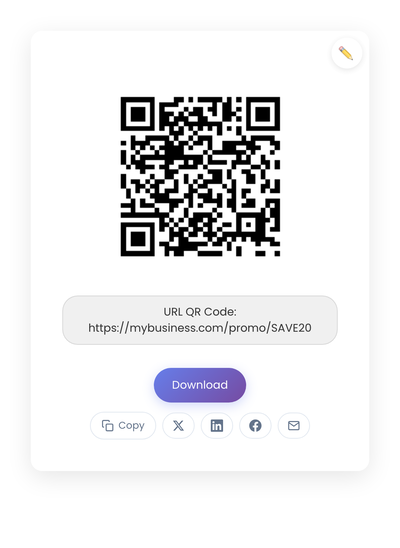
A static QR code carrying the URL of a promo landing page. The discount, expiration, and redemption logic all live on that page; the printed code itself is just a shortcut to it.
What the code should link to
The QR code itself stays simple. The destination is the choice that affects redemption rates.
Linking directly to a checkout page with the promo code already applied removes typing and avoids mistakes. The path from scan to purchase stays as short as it gets. How you build that URL depends on the platform. Shopify stores get this for free: yourstore.com/discount/SPRING10 applies the SPRING10 code to the visitor’s cart and can redirect to any page you choose. WooCommerce does the same with a coupon-URL setting or a small plugin reading a ?coupon-code=SPRING10 parameter. On a custom site, the pattern is a URL parameter like ?promo=SPRING10 that your checkout reads and pre-fills. Whichever mechanism you use, that full URL is what goes into the QR code, and the discount applies the moment the page opens.
Linking to a promo explanation page makes sense when the offer needs context, like eligibility rules, timing details, or referral terms. The page answers the obvious questions before any follow-up action.
Linking to a signup form lets you collect an email address in exchange for the promo. The code arrives in the inbox. This works when future contact is part of the goal, but it adds a step that thins redemption rates.
For most retail and food settings, the direct-to-checkout option produces the highest conversion. For service businesses where the customer needs to understand the offer first, the explanation page wins.
For a one-page promo URL that you update over time, a static code is simpler than the dynamic alternative. Edit the page when the offer changes; the printed code keeps pointing at the same URL. Dynamic codes only earn their keep when the printed surface needs to redirect to genuinely different URLs across rotating campaigns. See the static vs dynamic QR code comparison if the choice isn’t obvious.
What happens after the scan
The scan only starts the process. What happens next decides whether the promo code actually gets used.
The page should answer three questions quickly: what is the offer, how do I use it, and when does it expire? Extra navigation, unrelated images, and long explanations all slow things down. Short paragraphs and clear headings move customers forward.
Customers don’t always redeem immediately. Make the code easy to save: a bold display, a copy button, automatic application at checkout if the URL contains the discount, and an explicit “Save for later” note all help. People often screenshot a promo code right after scanning and use it days later.
Match the offer to the context. A lunchtime promo might encourage a future dinner visit. A retail promo on packaging might reward repeat business. A code scanned at the register feels different from one scanned at home; aligning the offer with the moment of scan improves relevance.
Setting it up
- Decide placement: counter sign, receipt, window, or packaging. Placement decides scan behavior.
- Create the destination: a page that explains the promo clearly, tested on a phone.
- Generate the code: Send the promo landing URL through StackQR and save the file for the flyer, receipt, or packaging sticker.
- Print with contrast: black on white, avoid glossy finishes.
- Test in real conditions: scan from customer distance on cellular, not office WiFi.
After launching, watch whether customers scan and adjust the placement based on what you see.
Where redemptions leak between scan and checkout
Each of these failures costs redemptions you never see, because the customer scanned, hit friction, and left.
Too many steps after the scan. Scanning should reduce effort, not add to it. Pages that require multiple clicks before showing the promo lose attention.
Printing the code too small. QR codes need breathing room. Tiny codes fail to scan in low light or from arm’s length, and signage that gets ignored is worse than no signage.
Linking to expired or unclear offers. Promo codes expire. Pages get archived. Printed QR codes stick around. Keep the destination page current, even if the offer behind it rotates.
Overloading the page with multiple offers. One scan should lead to one clear action. Stacked competing promos dilute focus and reduce redemption.
Measuring whether it works
Not every business needs detailed analytics, but some basic signals help. Track promo code redemptions over time. Ask customers (or check checkout fields) where they saw the offer. Compare redemption rates before and after adding the QR code. Simple patterns often emerge quickly: a new placement gets more scans than the old one; a new wording gets more redemptions than the previous one.
QR codes themselves don’t report data; the tracking happens at the link or page level. For most small businesses, page-level analytics on the landing page plus promo redemption counts in the checkout system are enough.
When QR promo codes don’t fit
QR codes don’t suit every situation. Environments with poor cellular connectivity slow loading enough to lose customers mid-scan. Audiences unfamiliar with QR scanning may hesitate (though this is less common every year). Very short-lived promos may not justify the cost of printing.
For everything else, QR codes give promo codes a place to live on physical surfaces. When the destination page applies the discount automatically, the path from flyer to redemption becomes short enough to measure as a single funnel step. Print once, test on a phone, and the same code handles the offer wherever the printed material ends up.