Put a QR code on each storage box that links to a shared document listing the contents, packing date, and location. Scan before opening to check what’s inside. Update the document when contents change. The QR code stays the same while the information evolves.
Sharpie on cardboard fails the same way every time. “Holiday decorations” tells you the category, not whether the string of patio lights you’re looking for is in this box or the other one labeled “Outdoor stuff.” Two boxes labeled “Tools” mean nothing six months after a move, when half the tools have been moved between bins and the labels never got updated.
A QR code on the side of each box solves the part Sharpie can’t: it gives every box a digital twin that can change as often as the contents do. The label stays as simple as “Garage Bin 7.” The QR code next to it points to a document listing what’s actually in the bin today. Scan before opening, check what’s inside, update when things move around.
What the code actually does
A QR code on a storage box acts as an ID tag. When someone scans it with a phone, a document, page, or note opens that’s linked to that specific box. That destination can hold an item list, photos of the contents, packing dates, location history, handling notes, ownership information, or anything else worth carrying with the box.
The QR code itself never changes. The information behind it changes as often as needed. That separation is the whole reason this works: the physical label stays simple while the digital record stays current.
Where this approach earns its place
The pattern fits anywhere boxes get opened and refilled. Retail backstock with similar-looking bins benefits because contents shift constantly, and a label that says “Accessories Bin 4” tells nobody what’s in there today. Office archives benefit because “2019 Files” creates uncertainty every time someone needs a specific client folder. Home renovation tools, fixtures, and leftover materials kept in storage between jobs benefit because photos taken at packing time make later inventory checks fast. Seasonal items (decorations, event supplies, promotional materials) benefit because the linked document prevents duplicate purchases when you’ve forgotten what’s already stored.
Moving day is another good fit. A QR code on each box that links to a list of contents plus the destination room makes the unpacking week much shorter than it otherwise would be.
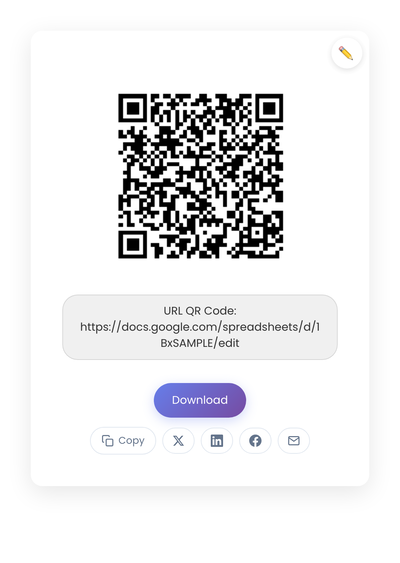
A static QR code generated from a Google Doc or Notion page URL. The code points at the document; the document holds whatever you need to remember about the box.
What to put behind the code
Keep the destination simple. The QR code should open something useful within a couple of seconds. Overloading the page makes it harder to maintain, which means it stops getting updated, which defeats the entire point.
The basics most boxes need: box name or number, a contents list, the date packed or last updated, the current location, and any handling notes (fragile, this side up, mine vs shared). For boxes where item names vary, a photo or two confirms what’s inside faster than text descriptions. For long-term storage, a “last reviewed” date helps future-you decide whether the list is still trustworthy.
Cloud documents (Google Docs, Notion, simple HTML pages) handle this well. The key requirement is stability: pick a destination that will still exist and still be accessible a few years from now.
Setting up the system
Static codes are the right pick here. A storage box outlasts most subscriptions, and a dynamic code that stops working when a service shuts down defeats the entire point of putting it on the box in the first place. The document URL stays the same; you just edit the document. The how static and dynamic QR codes really compare covers the reasoning if you need it.
- Choose a naming system: Box 001, Seasonal-Bin-A, or Backroom-Shelf-3. Consistency matters more than perfection.
- Create documents: One page per box with identifier, contents, and update date.
- Generate codes: Feed each box’s inventory URL into StackQR and get printable labels ready for every box.
- Print and attach: Place on flat surfaces, visible when stacked, and test scanning before sealing.
The system only works if you actually use it. When opening a box, scan first to check what’s listed, then update the document if you change the contents. The habit takes a couple of weeks to settle and pays back from then on.
Long-term reliability
A few practical choices keep the system working over years.
Use durable labels. Storage environments deal with heat, moisture, and friction. Laminated labels or clear packing tape over the printed QR code add years of life. For long-term storage, adhesive labels designed for plastic bins handle the conditions better than ordinary printer paper.
Standardize across locations. If your storage spans multiple rooms or units, use the same QR layout, document format, and naming convention everywhere. Future-you (and anyone else who needs to find something) will navigate the system without re-learning each location.
Review periodically. Once or twice a year, scan a sample of boxes during a slow period. Remove outdated boxes, update documents that have drifted from reality, and confirm the document URLs still work. The review takes less time than searching blindly during a busy day.
What breaks the system over time
A labeling system fails slowly, then all at once.
Linking to documents that require personal logins or expire. Pick destinations with long-term shared access from the start.
Overengineering the system with complex databases. Simple shared documents survive staff changes and long time gaps better than custom software does. The lowest-maintenance setup wins.
Forgetting the update step. The QR code reflects what the document says, not what’s actually in the box. Build the update into the workflow: when you open a box and change contents, update the document before sealing the box again.
Cluttering the box exterior with too much text. The whole point is to keep the outside simple and let the code carry the details. A short label plus the QR code does better than dense Sharpie writing.
When this isn’t worth it
QR codes earn their place when boxes get opened and updated. They add less value when boxes are sealed permanently, contents never change, or storage is genuinely short-term (a few weeks during a move with everything coming out soon). A handwritten label is enough in those cases.
For everything else (the boxes that travel through seasons, get pulled apart, get repacked, and outlast whoever first labeled them), a QR code linked to a living document keeps the outside label simple and the inside knowable without opening the box. The cost is one minute per box at packing time and one document per box on a cloud drive.