Quick Answer
A Zelle QR code encodes your Zelle-registered email or phone number so customers can scan and pay without typing anything. It works best for in-person businesses where speed matters, fees need to stay low, and customers already have a banking app on their phone.
Most of my Zelle use isn’t business at all. It’s the post-trip math after a long weekend with friends. Someone covered the rental house, someone covered the dinner that ran $50 over budget, and three days later we’re settling up on the group chat. Zelle is fast, free, and lands in everyone’s bank app without a separate wallet. That’s why I keep coming back to it.
I’ve also paid contractors through Zelle. A plumber, a handyman, anyone doing one-off work that needs to be settled before they leave. The friction at the moment of payment isn’t the app. It’s sharing the destination. Reading an email address aloud while someone is standing in your hallway with a wrench in their hand is slower than you’d think, and the spelling-back step is always required. A printed QR code on a small card removes the entire exchange. The contractor scans, confirms, and is out the door.
The same logic is what makes Zelle QR codes useful to small businesses. The app is free, the speed is good, and customers’ banks already trust it. The missing piece for in-person payments is the sharing step, and a printed code fixes it cleanly.
What a Zelle QR code actually does
A Zelle QR code encodes your Zelle payment information into a scannable format. When someone scans it, their phone opens the Zelle flow inside their banking app or browser with your details prefilled.
What gets encoded is usually one of:
- A phone number linked to your Zelle account
- An email address linked to your Zelle account
- A Zelle-specific payment link
The QR code itself does not move money. It removes the step where the customer has to type your information. Everything else about the transaction stays exactly the same.
Where it fits in small business
The Zelle QR code earns its place in any situation where in-person payment is happening and typing is the slow part. Counter service that handles a lot of small, fast transactions. Service trades where the technician is collecting at the end of a job. Pop-up vendors at farmers markets whose card readers struggle on patchy cellular. Bartenders accepting tips during a slow Tuesday shift. Each of these involves a payment moment where the person paying needs to know exactly where the money is going, and the code answers that without anyone having to spell it out.
A QR code is rarely the only payment option. Most small businesses that use one have it sitting next to the card reader and the cash drawer, giving customers another choice rather than forcing a single path.
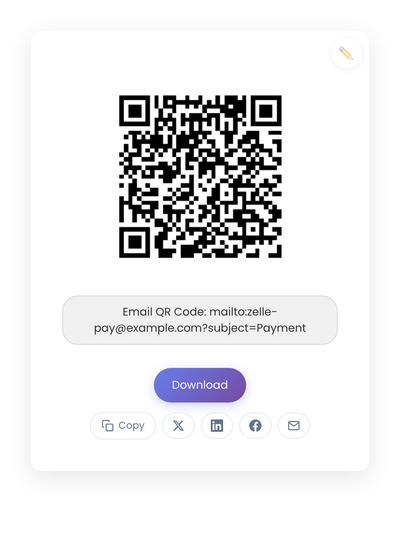
A static QR code generated from a Zelle payment link. The code holds the destination directly, so scanning opens the payer’s banking app with your details prefilled.
What Zelle gives you that other apps don’t
Two things, mostly. First, it costs nothing. Zelle is built into US bank apps as a free service, with no per-transaction fee for either side. Compare that to card processing fees, or Venmo’s instant-transfer fee, and the math gets attractive for a high-volume small business.
Second, it runs through banks customers already trust. There is no separate wallet to download. No new account to create. The Zelle flow opens inside whatever banking app the customer already has on their phone, which removes the “is this legitimate” hesitation that hits with payment apps people see for the first time.
The tradeoffs are real too. Zelle payments are typically final once sent, so refunds happen as separate transfers. Detailed transaction records are thinner than what card processors provide. And the customer needs to bank somewhere that supports Zelle, which is most major US banks but not all of them.
Static vs dynamic, for Zelle
Most Zelle QR codes should be static. Your Zelle email or phone rarely changes, the amount varies per transaction (entered by the customer, not encoded in the code), and the code works offline once printed. Dynamic codes add a redirect, a vendor, and ongoing management for no real benefit in this use case. The longer static vs dynamic comparison has the longer comparison.
Creating a Zelle QR code
- Confirm your Zelle identifier (phone or email linked to your account).
- Build the code from your Zelle payment link on StackQR and place it at the register, on the invoice, or on a counter sign.
- Download and test on multiple phones before printing.
- Print with strong contrast on a non-glossy surface.
Generation runs in the browser, which matters for payment details, since the identifier doesn’t pass through a server before being baked into the code.
Placement and labeling
People scan QR codes when they stop moving. Place the code where customers pause: next to the card reader, on the counter facing them, on a small stand near the register, at the bottom of an invoice. Service trades often keep a laminated card in the work truck for end-of-job payments. The common thread is that the code is visible at the exact moment when paying is on the customer’s mind.
A code without context creates a small hesitation. A short label removes it. “Pay with Zelle” or “Scan to pay with Zelle” is enough. Customers already know what Zelle is; they just need confirmation that the code is for payment.
If your Zelle account shows a personal name rather than a business name, add a small line that says “Payments go to [Business Name].” That alignment between the name customers see in their app and the business they’re standing in reduces the rare but real hesitation moment before they hit send.
Where Zelle codes break
A few mistakes show up over and over.
A code printed too small to scan reliably from arm’s length. Test from the actual scanning distance, not from your face.
A code on a glossy surface or busy photo background. Phone cameras need clean black-on-white to lock on quickly.
No label near the code. Half of casual scans never happen because the customer wasn’t sure what the code was for.
And the biggest one: never testing the printed result. Ink density, paper finish, and ambient lighting all change scan behavior. Scan your own printed code from your own phone before relying on it at the counter.
Refunds and trust
Zelle payments are typically final once sent. This matters at the register. Before a customer hits send, the cleanest practice is to confirm the amount verbally and make sure they can see the right business name on their app screen. Mistakes happen anyway, but most resolve by sending the difference back as a separate Zelle.
Trust grows the same way every other payment method’s trust grows: a clean code, a clear label, a visible business name, and an owner who can explain what happens after scanning. In public spaces, glance at your codes occasionally to confirm no one has placed a sticker over them.
When it’s not the right fit
A few situations push the answer toward something other than a Zelle QR code. Customers who don’t use Zelle need another option, so Zelle works best as one of several. Large transactions sometimes require clearer paper trails than Zelle provides. And businesses that need detailed transaction records (sales tax breakdown, line items, etc.) usually still want card payments as the primary path with Zelle as a fast alternative.
For everyone else doing repeated in-person payments, a printed Zelle code at the point of payment costs nothing to generate. It saves the back-and-forth of spelling out a phone number during a rush, which is enough to justify the laminated card on the counter.