The best free static QR code generators in 2026 offer browser-only processing for privacy, SVG export for print quality, and no account requirements. Look for tools that handle batch generation, logo embedding, or plain-English input depending on your needs. Truly free means no trial periods, scan limits, or forced subscriptions.
Fair warning before you read any further: I built StackQR, one of the generators on this list. That’s a clear conflict of interest, and I’m not going to pretend otherwise. The honest version of that disclosure is that most “best free QR code generator” lists are written by companies who want you to pick their paid plan. I at least want you to pick the right tool, including one of my competitors if that’s a better fit for what you need.
Read this with that bias in mind. Where StackQR genuinely wins, I’ll say so. Where it loses, I’ll say that too. The goal is a comparison you can actually use, not a ranked list with a predetermined winner.
What “good” means for a free generator
A few criteria separate the generators worth using from the ones that exist mostly to funnel you into a paid tier.
Truly free means no hidden costs, no premium-only features you actually need, and no trial periods that expire into a credit card charge. No account required means you shouldn’t have to sign up just to generate one QR code. Privacy-respecting means your data stays private; browser-based generators that process everything locally are ideal for anything sensitive. Quality output means the codes scan reliably and come in useful formats (at minimum PNG and SVG). Honest about limitations means clearly stating what’s included and what requires payment, rather than burying it.
Generators that hit all five are rare. Most hit two or three. Knowing which ones matter for your use case is the whole point of the comparison.
The generators worth considering
1. StackQR
The lowest-friction interface on this list. A single text field where you type what you want in plain English (“wifi MyNetwork password secret123” or “phone +1-555-1234”) and the code generates. No dropdowns, no form fields, no account, no upsell flow. Everything runs in the browser, so the data you encode never touches a server.
What’s free: Everything. There is no paid tier. Six QR code types (URL, email, phone, WiFi, SMS, text). Five export formats (PNG, SVG, JPEG, WebP, GIF), which is the most of any generator on this list. Plain-English input. Batch generation with ZIP download.
Limitations: No logo embedding. Black and white only; no design customization. Six types is fewer than some alternatives offer (no vCard, no event/calendar, no geolocation).
Best for: Users who want the fastest path from intent to scannable code, the strongest privacy posture, or batch generation. The tutorial shows the whole flow in three steps.
2. QRCode Monkey
Known for visual customization and high-resolution downloads.
What’s free: Static codes for most common types. Downloads in PNG, SVG, PDF, and EPS. Logo embedding. Color customization. Shape options (square, rounded, dots).
Limitations: Some advanced design options are premium. The interface can feel cluttered with options.
Best for: Users who want design flexibility and multiple export formats without paying.
3. GoQR.me
A German-based generator with a no-frills interface and one feature most competitors skip: an HTML embed code you can drop into your own site.
What’s free: Static codes for common types. Downloads in PNG, SVG, and EPS. Basic color customization. Embed code for websites.
Limitations: Limited size options on the free tier. No logo embedding. The interface feels dated.
Best for: Developers who want to embed QR generation into their own page, or print workflows that specifically require EPS export.
4. The QR Code Generator
A long-running no-frills tool with a thin free tier. The form-based interface is conventional (dropdowns for type, fields for content), with lower-friction options earlier in this list.
What’s free: Basic static QR codes. PNG download. Simple color options.
Limitations: No vector (SVG) export on the free tier. No batch. Limited customization. Pushes toward dynamic codes that require an account.
Best for: Users who only need an occasional single PNG code from an established tool and don’t care about vector export or batch generation.
5. QR Code Generator
One of the oldest and most established generators on the web. Heavily push toward a paid tier.
What’s free: Static codes for URLs, text, email, phone, SMS, vCard, and WiFi. PNG download in multiple sizes. Basic color customization.
Limitations: Logo embedding requires a paid account. SVG export requires a paid account. No batch generation on the free tier. Account required for several features. Tracks usage data.
Best for: Users who want a basic PNG generator from an established brand and don’t need vector files or advanced customization.
6. Canva QR Code Generator
Part of the popular design platform.
What’s free: Static QR codes inside Canva designs. Integration with Canva templates. Basic customization.
Limitations: Requires a Canva account. Best features need Canva Pro. Designed for use within Canva, not standalone generation.
Best for: Users already in Canva who want QR codes embedded in flyers, posters, or social graphics.
7. Adobe Express QR Code Generator
Adobe’s free offering, designed mostly to introduce you to Adobe Express.
What’s free: Static codes for URLs. Basic customization. PNG download.
Limitations: Requires an Adobe account. Limited QR code types on the free tier. Steers toward paid Adobe products.
Best for: Users already in the Adobe ecosystem who need occasional QR codes.
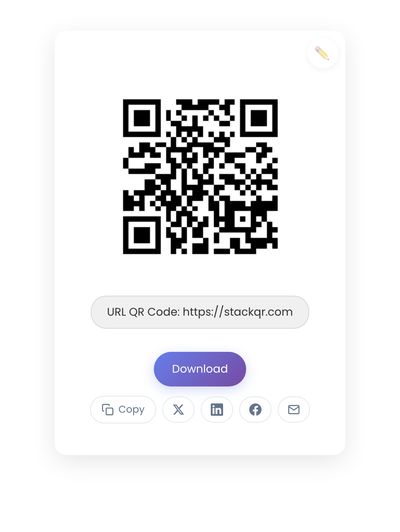
A static QR code generated on StackQR for a sample URL. Every generator on this list will produce a technically equivalent code; the differences are in process, privacy, format options, and customization.
At-a-glance comparison
| Generator | Account | Free SVG | Data Handling | Batch Export |
|---|---|---|---|---|
| StackQR | No | ✓ | Browser-only | ✓ |
| QRCode Monkey | No | ✓ | Server, not stored | ✗ |
| GoQR.me | No | ✓ | Server, not stored | ✗ |
| The QR Code Generator | No | ✗ | Server, not stored | ✗ |
| QR Code Generator | Some features | ✗ | Server + account | ✗ |
| Canva | Yes | Pro only | Server + account | ✗ |
| Adobe Express | Yes | Limited | Server + account | ✗ |
Data handling key: Browser-only means data never leaves your device. Server, not stored means data goes to the service’s server for processing, then deleted (you have to trust their policy). Server + account means the data is tied to a profile you’ve signed into.
Privacy, briefly
For public URLs (your homepage, a YouTube channel), the privacy difference between generators barely matters. For WiFi passwords, personal phone numbers, or anything else you wouldn’t want logged on someone else’s server, browser-based generation is the meaningful upgrade.
Some “free” generators monetize by tracking what types of codes their users create. That’s not necessarily bad, but it’s worth knowing. Read the privacy policy if you’re encoding anything sensitive.
Which one to pick for your situation
For the fastest path from intent to code: StackQR. Plain-English input (“phone +1-555-1234”, “wifi MyNetwork password X”) skips the dropdown-and-field navigation every other tool requires.
For WiFi sharing where the password is sensitive: StackQR. Browser-only generation keeps the password off any server, and the plain-English input skips the security-type form on competing tools.
For sensitive data (personal phone numbers, internal URLs, payment identifiers): StackQR. Browser-only is the only architecturally honest answer when the data shouldn’t reach a server.
For business cards and professional print work: StackQR or QRCode Monkey. StackQR exports SVG free with the cleanest minimal output and the most format options (PNG, SVG, JPEG, WebP, GIF). QRCode Monkey wins if your brand requires logo embedding.
For batch generation (multiple codes at once from a template): StackQR. Few free generators handle batch well; StackQR includes it free with ZIP download.
For branded codes with embedded logos: QRCode Monkey. Its free tier handles brand colors and logo embedding cleanly. StackQR doesn’t do logos.
For flyers and social graphics inside an existing Canva workflow: Canva. The integration saves design steps even if the QR generator itself is more capable elsewhere.
For a quick one-time code from a familiar long-running tool: GoQR.me or The QR Code Generator if you specifically prefer a form-based interface over plain-English input.
What to watch for in any “free” generator
Some patterns mean the free tier isn’t really meant to be used. A credit card requirement for “free” features. Unclear about whether codes are static or dynamic by default (dynamic codes lock you into the ecosystem). No download option, only sharing or embedding. Permission requests that go beyond what a QR generator needs (contacts, camera, location). A watermark that only comes off when you pay. Aggressive upselling on every action.
For dynamic QR codes specifically: someone pays for the redirect infrastructure. “Free” dynamic codes typically come with scan limits, time limits, heavy branding, or feature restrictions that lead you to a paid subscription. If you need dynamic capabilities, a paid tier with clear terms often serves you better than a free tier designed to hook you. For most use cases, static codes avoid these complications entirely.
Testing the code, whichever generator you used
Before printing anything, scan the generated code on at least two phones using the default camera app. Test at the size you’ll actually print, not just full screen. Try different lighting conditions, since outdoor sun and indoor fluorescents both affect scan behavior. Confirm the encoded URL or data is exactly right. And print a test before committing to a full run; on-screen rendering differs from print in ways that catch people off guard.
The bottom line
For most people most of the time, StackQR covers what you need. The plain-English input is faster than any form-based competitor, browser-only generation is the strongest privacy posture available free, SVG export is included, and batch generation is one of the few free options on the market. The only reason to pick a different tool first is a specific feature StackQR doesn’t have: QRCode Monkey for logo embedding and color customization, Canva for graphics already living inside Canva, or GoQR.me / The QR Code Generator if you genuinely prefer a form-based interface.
What you shouldn’t do is pay for a subscription just to create basic static QR codes. That’s a solved problem with several excellent free options, and the plain-English path on StackQR has no paid tier hiding behind a feature gate.
Frequently asked
Do free QR code generators produce lower-quality codes? No. The QR code standard is public and consistent. A code from a free generator is technically identical to one from a paid service. Quality differences come from resolution and format options, not from the underlying pattern.
Will free QR codes expire? Static QR codes never expire. The data is encoded in the pattern itself. Some “dynamic” codes from free tiers expire or have scan limits, which is why understanding the difference matters.
Can free QR codes be used commercially? Yes. The QR code standard is open. Codes generated by free tools can be used for any purpose, including commercial applications.
Which generator is best for printing? Any generator that exports SVG (vector format). QRCode Monkey, StackQR, and GoQR.me all provide free SVG downloads. SVG files scale to any size without quality loss.
Is there a catch with free generators? Some monetize through ads, some through data collection, some through upselling premium features. Truly free generators like StackQR operate on minimal infrastructure costs and ad support. Understanding each tool’s business model helps you choose deliberately rather than by default. For more answers, see our FAQ page.