Quick Answer
A permanent QR code uses a static code that encodes a stable URL you control. Print it on durable materials, point it to a page on your own domain, and it keeps working for years. The key is reducing dependencies: no redirect services, no subscriptions, no third-party links that can expire.
Most QR code articles push you toward dynamic codes. The pitch is appealing: change the destination later without reprinting, track every scan, swap campaigns on the fly. For a marketing team running promotions on disposable flyers, that flexibility is useful. For almost everyone else, it’s a liability disguised as a feature.
A dynamic QR code points to a redirect service, and that service is a dependency. If the company shuts down, raises prices, or changes terms, every code you printed stops working at once. A static code points directly at a URL you control. Boring. Limited. And almost impossible to kill. For anything meant to outlast a single season, that boredom is the whole point.
What “forever” means with QR codes
The QR code pattern itself doesn’t expire. The black-and-white squares encode information that scanners can read decades from now. What changes is what the code points to.
When long-term QR codes fail, the cause usually comes from one of three places. The destination link changes. The service hosting the link disappears. Or the code was printed in a way that degrades over time. Each is solvable with planning, but the planning has to happen before the code goes to print.
Why static beats dynamic for permanence
For codes meant to last years, static is almost always the right pick. Static codes hold the destination directly inside the pattern, work without any external service, and depend only on the URL behind them remaining reachable. They have no monthly fee that, if missed, takes the code offline.
Dynamic codes earn their keep when destinations need to rotate frequently and centrally, like large marketing campaigns where the same printed material gets repurposed across different promotions. But they add a vendor in the middle. If that vendor changes pricing, shuts down, or alters their terms, the printed code breaks even if your underlying content still exists.
For homepages, contact cards, WiFi configurations, and permanent signage, static is the safer pick. The how static and dynamic codes compare walks through the longer comparison.
The hidden risk in “lifetime” claims
Some QR code generators advertise lifetime codes. The phrase sounds reassuring. It needs unpacking.
A generator can promise that the QR pattern itself will always scan. It can’t guarantee that the redirect server will operate indefinitely, that business models won’t change, that domains will remain active, or that ownership won’t transfer to someone with different intentions. Permanence comes from reducing dependencies, not from trusting claims.
Static QR codes reduce dependency because they hold the destination directly. Dynamic codes add dependency because they rely on an extra layer that has to keep working. Neither approach is universally better. The choice depends on how much control you want to retain over time.
Choosing destinations that age well
The destination behind the QR code matters as much as the code. Three principles separate URLs that age well from URLs that don’t.
Use a domain you control. Links hosted on your own domain tend to last because you decide what happens to them. Even if the site structure changes, internal redirects can keep the original URL alive. Third-party platforms come and go; your own domain stays as long as you renew it.
Avoid temporary file hosts. File-sharing links and short-term storage services change policies, limit access, and eventually shut down. If the QR code points to a PDF, host it on your own site, not on a free Dropbox-style link.
Keep URLs simple. Shorter, cleaner URLs preserve better. Avoid session-based links, tracking parameters, and auto-generated paths tied to campaigns. A clean URL like /care or /warranty on your own site is easier to keep working than ?utm_campaign=spring2026&session=abc123 paths that may not survive a website refresh.
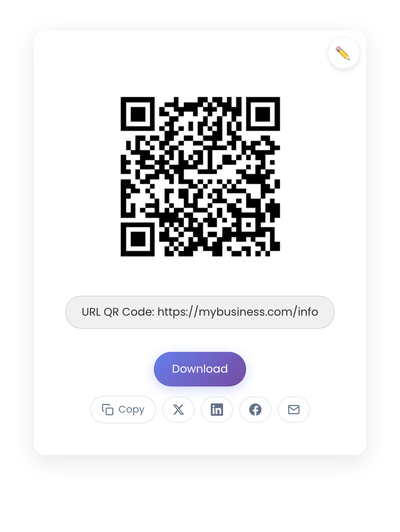
A static QR code with the destination encoded directly. The URL is the only dependency, and it lives on a domain you control.
Printing for durability
A code meant to last five or ten years needs physical durability to match.
Size and contrast for the long haul: codes printed too small degrade faster as ink spreads or fades. High contrast (usually black on white), generous quiet-zone margins, and larger-than-minimum sizes all increase lifespan. Outdoor signage benefits from extra margin and scale because small imperfections become scanning problems over time.
Material choices matter too. Vinyl decals handle outdoor weather. Laser engraving works on metal or plastic equipment labels. UV-resistant ink slows sun fade. Laminated prints survive moisture. Match the material to where the code will live.
Test the printed result, not just the digital file. Scan in bright light, in low light, from the typical viewing distance, on different phones. Keep a sample and re-test occasionally as materials age, especially in environments where heat, moisture, or sun matter.
Placement decisions that support long-term use
Where you place a code affects how long it stays usable. Surfaces touched frequently degrade faster, so avoid placing long-term codes where hands rub constantly, near hinges or moving parts, or on uneven surfaces that resist clean printing. Heat, moisture, and sunlight all accelerate wear. Outdoor codes need protection or weather-resistant material. Indoor codes benefit from spots that don’t get direct sun.
A code mounted behind a desk in a stable indoor environment outlasts the same code on a window facing the parking lot.
Content planning for long-term codes
The page behind the code needs maintenance planning too. Evergreen content (instructions, contact details, FAQs, safety information) ages better than time-sensitive posts. Update content within the page rather than swapping URLs. Edit text, replace images, add new sections, and the code stays valid because the URL stays the same.
Keep a simple inventory of where your codes exist and what they point to. A spreadsheet listing location, destination URL, creation date, and purpose takes minutes to set up. When a website refresh later changes URL structures, you know exactly which codes need redirects to stay alive. Without an inventory, broken codes get discovered when customers report problems, which is the worst time to find out.
Common mistakes that shorten lifespans
A few patterns show up over and over.
Using campaign-specific URLs that get retired. Campaign links with tracking parameters tend to be the first URLs cleaned up when sites get redesigned. The code outlives the campaign.
Relying on free redirect services. Free services change limits, introduce fees, or shut down entirely. Over a five-year span the risk compounds.
Printing without testing. A code that scans cleanly on a screen can fail once printed. Ink spread, glare, and scale all affect real-world performance.
Forgetting where codes exist. Without documentation, a domain change, a redirect cleanup, or a CMS migration silently breaks codes you placed years earlier.
When permanence isn’t necessary
Not every code needs long-term planning. Codes on event banners come down after the event. Promotional flyers get tossed within a month. Single-print invitations exist for one occasion. For these, the convenience of dynamic codes might actually justify the dependency, since the materials won’t outlive the service anyway.
For everything else (homepages, contact info, warranty pages, equipment labels, instruction inserts that ship inside products, business cards ordered in bulk) permanence matters more than flexibility. The right code for a five-year sticker is the same code that would have been right yesterday and will still be right tomorrow.
Creating a code built to last
Generate the code on StackQR and the URL is encoded directly into the pattern. Nothing about the printed code depends on a service that has to stay paid up. Point the URL at a page on your own domain, print on a material that fits where the code will live, and scan a printed sample. The code keeps working as long as the URL keeps working.
Permanence has three requirements that don’t depend on the QR tool itself: own the URL, print on a material rated for the environment, and avoid the third-party redirect that quietly inserts a dependency you didn’t plan for. Get those right and the code keeps working for as long as the printed surface does.