Quick Answer
QR codes help small businesses share updated information, reduce repetitive questions, and connect physical spaces to digital content. They work best when placed where customers already pause, labeled clearly, and linked to a specific mobile-friendly page rather than a generic homepage.
Most small business QR code advice reads the same way: put a code on your menu, put one on your business card, put one on your window. It’s not wrong, exactly, but it skips the more useful question. Which placements actually earn their space, and which are theatrical moves that look modern without changing much?
I go to farmer’s markets often around Northern Virginia, and I notice the same pattern at almost every stall. Vendors who use a QR code well are doing one specific thing: cutting a friction point that was costing them sales or time. A payment QR code where the line moves twice as fast. A short menu code on a sandwich board so people in line can read what’s available. A code on the printed receipt that takes you to their seasonal newsletter signup. The ones who use QR codes badly tend to slap one in random places hoping it looks current. Most never get scanned.
That’s the honest version of the conversation. Some QR code uses quietly pay for themselves in fewer repeated questions or faster checkout. Others sit on counters getting ignored because nobody explained what they were for.
What “QR codes for your business” really means
When small business owners reach for a QR code, they’re usually trying to do one of three things: share information faster, cut down on the same explanation repeated all day, or extend a physical interaction into a digital one customers can finish later.
The code itself is simple. It holds a link or piece of data the phone reads with its camera. The meaning comes from what the link does and how it fits the customer’s moment. The code works best when the information behind it stays useful for a long time, or changes often enough that reprinting would be a hassle.
Where the codes show up first
Most small businesses encounter QR codes in a few familiar places: menus at restaurants and cafés, payment screens or receipts, business cards and flyers, signs at the counter or front door.
Each placement is a pause point. The customer is waiting, deciding, or looking for the next step. A QR code works when it answers a question that already exists in that moment. A coffee shop’s pickup-area QR linking to a seasonal drink list gets scanned while people wait for their order. A taqueria’s table-tent QR for ordering ahead gets scanned by repeat customers planning their next visit. A bookkeeping firm’s invoice QR linking to a payment page gets scanned within hours of the invoice arriving.
What a QR code does well
Three jobs, mostly.
Sharing updated information that would otherwise need reprinting. Prices change, hours shift, menus rotate. A code that points at a single webpage stays relevant as the page changes; the code itself doesn’t need to be touched. A restaurant that updates its wine list every few months can update the page; the table tents stay where they are.
Reducing repetition. Staff answer the same questions dozens of times a day. A code can offload part of that. A QR near the register linking to ingredient and allergen information serves customers who care about those details without taking the cashier off the line.
Connecting offline and online. The code extends a physical interaction past the moment of contact. A boutique includes a QR code on the shopping bag linking to care instructions or styling tips. The customer scans at home, days later, when the question actually comes up.
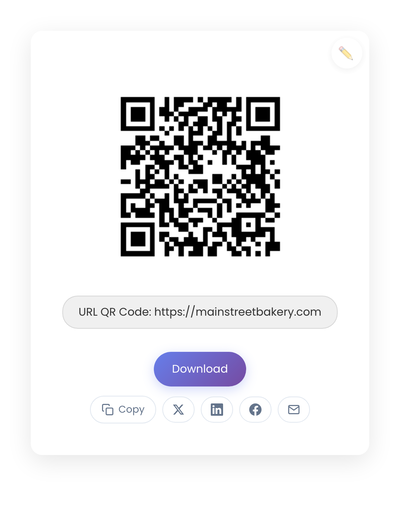
A static QR code with the destination URL encoded directly in the pattern. The page behind it can change as often as the business needs without breaking the printed code.
What a QR code doesn’t do
It doesn’t create interest. A black-and-white square without context gets ignored. It doesn’t explain itself either. And it doesn’t replace clear signage or human interaction; it works alongside those, not instead of them.
A convenience store owner who tried replacing a printed price list with a single QR code would find customers still asking for prices. The fix is usually a small sign explaining what the code links to, plus printed prices for the most common items.
Static vs dynamic, for small business
For most small business uses (business cards, permanent signage, packaging, in-store menus), static is the practical choice. Static codes work forever without subscriptions, and you can update the content at the destination URL without reprinting. Dynamic codes suit situations where the destination URL itself changes frequently, but most small businesses don’t need that flexibility enough to justify the recurring fee and the service dependency. The full static-vs-dynamic breakdown lays out the full tradeoff.
Where QR codes earn their place across business types
Restaurants and cafés use them most for menus and price lists. The code reduces printing costs as the menu evolves and keeps allergen information current without reprints. (See the restaurant menu guide for the longer version.)
Service businesses (plumbers, electricians, contractors) put codes on invoices and leave-behinds for payment or follow-up. Customers can pay or rebook without typing in a payment app username at the door.
Retail stores include codes on receipts or thank-you cards linking to loyalty signups, care instructions, or repeat-purchase discounts. The code reaches the customer at home, when the rush of the transaction is over.
Studios and salons (yoga, hair, nails) place codes at the front desk for package purchases, online booking, or feedback forms. The codes shorten transactions during peak times and capture habits between visits.
Local creators at markets and pop-ups use codes for payments (see the Venmo guide and the payment comparison), for newsletter signups, or for portfolio links printed on hangtags. Anything that turns a single in-person visit into a longer relationship.
Placement and labeling that affects whether anyone scans
Match the moment. Place the code where the question already comes up. Menus near tables. Instructions near equipment. Payment codes near checkout. Loyalty signups on receipts. Code placement that doesn’t match a natural moment of curiosity gets ignored.
Add a short label so people know what scanning does. “Menu and prices.” “Care instructions.” “Leave feedback.” Two or three words remove the hesitation moment that loses casual scans.
Keep the print scannable. High contrast, no glossy surfaces, room around the code, large enough for arm’s-length scanning. Test in the lighting the code will actually face, not the lighting in your office.
The page behind the code matters as much as the code
Phones are small and people are impatient. Three principles cover most of the design.
Mobile-friendly layout. Most scans happen on phones. Content should load fast and scroll cleanly without zooming.
Clear information first. Put the most important detail at the top. Skip the long introduction. If the code is supposed to show a menu, show the menu when the page opens.
Minimal steps. Each click between scan and goal reduces follow-through. Link a code directly to the relevant page, not to a homepage where the customer has to hunt.
What sinks a small business QR code
The failures are predictable, which means they’re avoidable.
Overusing QR codes. Too many codes on the same surface create noise. Pick the few moments where they actually help.
Linking to the wrong page. The homepage rarely answers a specific question. Link to the exact content the customer expected.
Skipping the test. Always scan the printed result yourself on at least two phones. Ink density and surface finish change scan behavior in ways the screen preview can’t predict.
Updating the page URL without updating the code. Static codes hold the old URL. If you reorganize the site, set up a redirect so existing codes keep working.
Creating a code for your business
Decide what specific information the customer needs at the moment of scan. Build a mobile-friendly page or document for that purpose. Generate a static QR code from that URL on StackQR. Print it on the surface where the question would otherwise come up. Scan the printed result on two phones before committing to a print run.
The setup is the same across industries. The judgment that varies is which moments are worth a QR code and which are just decoration.
QR codes have settled into a practical role for small businesses. They act as connectors between physical spaces and useful information. Their value depends on timing, placement, and relevance. Used thoughtfully, they fade into the background and do their job: a question that doesn’t need to be asked, a payment that doesn’t need a typed username, a follow-up that happens after the customer has left the building.