Pick the social platform that matches where your audience already spends time and what you want them to do after scanning. Instagram works best for visual consumer businesses, LinkedIn for professional networking, and YouTube for content creators. Only link to profiles you actively maintain.
If you only have room for one QR code on a business card, which social platform should it link to? The question comes up constantly, and most guides answer it by listing every option and calling it strategy. The actual answer depends on a few things that get skipped: where your audience already spends time, what you want them to do after scanning, and whether the profile you’re pointing to would embarrass you if a stranger landed on it today.
A QR code pointing to a dead Facebook page wastes more than the space on the card. It signals neglect. A code pointing to an active Instagram where you post daily converts curiosity into follows. The platform matters less than whether the destination feels alive.
Why not just use the app’s built-in code
Instagram, TikTok, and LinkedIn all generate QR codes inside their apps, which raises a fair question: why involve any outside tool? Because those codes are built for one situation, showing your phone screen to another phone. They live inside the app, they aren’t optimized for print, and their look can change whenever the platform updates. Try to put one on a menu, a sticker, or a business card and the experience falls apart.
A plain QR code pointing to your profile URL is a file you own. It prints at any size, goes to a designer as an SVG, and keeps working for as long as your handle exists, no matter what the app does. That distinction is the whole reason a printed social QR code involves a generator at all.
The core question: what happens after the scan
Before choosing a platform, answer this. What do you want someone to do after they scan?
If the goal is follow or subscribe, Instagram, YouTube, LinkedIn, and TikTok all work depending on audience. If the goal is messaging or contact, Instagram DMs, Facebook Messenger, or LinkedIn fit. If the goal is browse or explore, Instagram, Pinterest, and YouTube all serve well. If the goal is verify or research, LinkedIn and Facebook reviews carry weight.
Each platform serves different post-scan behaviors. Match the code to the action you want, not to the platform you happen to enjoy.
Platform by platform
Instagram fits visual consumer businesses: restaurants, retail, creative services, anyone whose work photographs well. Recent posts give an immediate preview of what you do, and DMs handle inquiries. Skip it if your audience is over 55, you post less than weekly, or you’re B2B-focused where LinkedIn fits better. Use the URL instagram.com/yourbusiness.
LinkedIn fits consultants, professional services, B2B sales, and job seekers. One scan replaces spelling your name and company, and connections persist through job changes. Skip it if you’re consumer-facing with no B2B component. URL formats, profile prep, and event tactics live in the LinkedIn QR codes guide.
YouTube fits creators, educators, musicians, and businesses with regular video output, since a scan can lead directly to watching rather than just following. Skip it if you don’t produce video or the channel is inactive. Channel URL formats and the subscribe-prompt variant are covered in the YouTube QR codes guide, and the wider multi-platform creator setup in the creator QR codes guide.
Facebook fits local businesses with older demographics or businesses that use Facebook for hours, updates, and reviews. Reviews are visible to potential customers, hours and contact info live in one place, Messenger handles questions. Skip it for younger audiences, if your page is inactive, or if Instagram serves the same purpose better. Use facebook.com/YourBusinessPage.
TikTok fits brands targeting Gen Z, entertainment and lifestyle businesses, viral content creators. Highest engagement potential among the platforms. Skip it if your audience is over 35, if you have no video content strategy, or if you’re B2B-focused. Use tiktok.com/@yourusername.
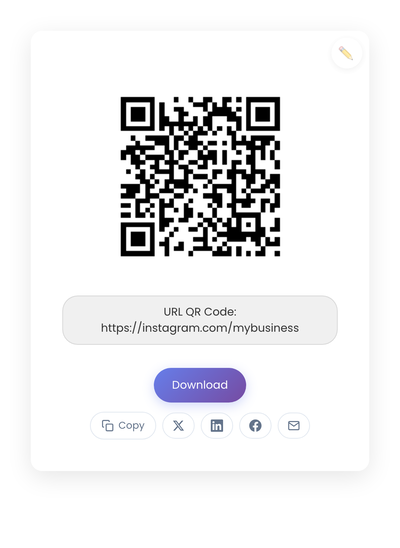
A static QR code pointing to an Instagram profile. The same code mechanism works for any platform; the destination URL changes.
The multi-platform problem
What if you genuinely use more than one platform?
The cleanest answer is to choose your primary by context. If you’re at a professional conference, LinkedIn wins. If you’re a restaurant, Instagram wins. If you’re a creator at a craft fair, YouTube or Instagram wins depending on your output. Pick the platform that matches the context, not the one that lists all your handles.
If the context doesn’t pick a winner, a link page (Linktree, a simple page on your own site) can point at all your platforms from one code. The tradeoff is an extra click for the visitor and a slower load. Worth it when visitors might genuinely prefer different platforms; less worth it when one platform clearly serves the moment.
A third path: different codes on different materials. Business cards get LinkedIn. Packaging gets Instagram. Merchandise gets YouTube. Each placement matches the context where that material lives.
The active profile rule
A QR code pointing to an inactive profile is worse than no QR code at all.
Before printing, audit your profiles. An active profile has posted within the last two weeks, responds to comments and messages, has a current bio, has a professional profile photo, and shows content matching current offerings. The red flags that should make you skip linking to a profile entirely: last post was months ago, unanswered comments, outdated information (old hours, discontinued products), empty or minimal content.
An inactive profile tells scanners you don’t care about that channel, and by extension, maybe don’t care about them.
Placement strategy by context
For retail storefronts, lead with Instagram for visual products and current inventory. Facebook as secondary for hours and reviews if your customers skew older. Skip LinkedIn and YouTube unless you have product videos worth showing.
For professional services, LinkedIn for credibility and networking. YouTube as secondary if you have educational content. Skip Instagram and TikTok unless your work is genuinely visual.
For restaurants and cafés, Instagram for food photos and daily specials. Facebook for hours, reviews, and events. Skip LinkedIn and YouTube.
For content creators, the platform you monetize comes first (YouTube, Patreon, etc.). Instagram for community. Consider TikTok for discoverability if your content fits short-form video.
For events and conferences, LinkedIn for professional networking. Instagram for event photos and community. Skip Facebook; the response cycle is too slow for live contexts.
Technical considerations
Social platform URLs can change. Before printing, confirm you control the username, you don’t plan to rebrand soon, and the URL format is the official stable version (not a shortened or third-party-tracked link).
When someone scans a QR code, the destination might open in the platform’s native app (if installed), a mobile browser (if the app isn’t installed), or an in-app browser depending on the scanner. Test on phones with and without the apps to confirm both paths work.
Static vs dynamic, for social media
Static is the right pick almost always. Profile URLs rarely change, and you want codes to work indefinitely without subscription fees. Dynamic codes earn their keep when one printed surface needs to rotate through different platforms over time (a window sign that highlights this month’s most active channel), but most use cases are stable. The full tradeoff lives in the static vs dynamic guide.
How you’ll know it’s working
Each platform already tracks what matters. Use its built-in tools instead of adding a QR-specific tracking layer.
What to watch: Instagram profile visits and follower demographics shifting toward locals. LinkedIn connection requests arriving during or shortly after events. YouTube traffic source data showing direct visits rather than search. Facebook page visits correlating with physical campaign placements.
The clearest signal is qualitative. New followers mention how they found you. DMs reference the event where they scanned. Engagement comes from people you’ve actually met in person. When physical placements drive digital connections, the pattern becomes obvious without dashboards.
Creating the code
Take the profile URL of your chosen platform and generate the static code on StackQR. Download SVG for print or PNG for screen.
The same process applies for every platform. The choice that matters happens before generation: which platform best matches the placement you’re about to print.
A note on platform shifts
Social platforms rise and fall. Facebook dominated ten years ago. TikTok barely existed. New platforms will keep emerging.
QR codes pointing to stable profile URLs adapt well to these shifts. If you switch primary platforms, you update the code and reprint the next batch of materials. The underlying technology stays the same. The principle stays the same too: reduce friction between physical encounters and digital connection.
Choose deliberately. Link to the platform you’re actually active on. Test the scan before printing. Five codes covering every platform you’ve ever signed up for typically performs worse than one code pointing at the profile you actually maintain.